
Web App · For crane owners
Lift Planner
Plan complete lifts in 3D: load charts, ground pressure, working steps and a printable lift plan for every PVE AMERICAN crawler crane.
PVE AMERICAN
The planner
Every lift, planned inside real load charts.
The Lift Planner is the planning tool of the PVE AMERICAN Web App. You build the lift as it will happen on site: pick the crane and the exact boom configuration, place the load and the obstacles, bring in the real site, then drive the crane through the lift in full 3D.
Everything runs inside the official PVE AMERICAN load charts. Every configuration, capacity and angle you see is chart data, not an estimate, and the planner checks the numbers live while you work. When the lift is right, the built-in Report Designer turns it into a single PDF lift plan with the configuration, drawings and calculations all in it.

How you plan
From requirement to plan in three steps.
01

Start with the search engine
Enter your lift requirements: load, radius and height. The planner searches every load chart and shows which cranes can do the job.
02
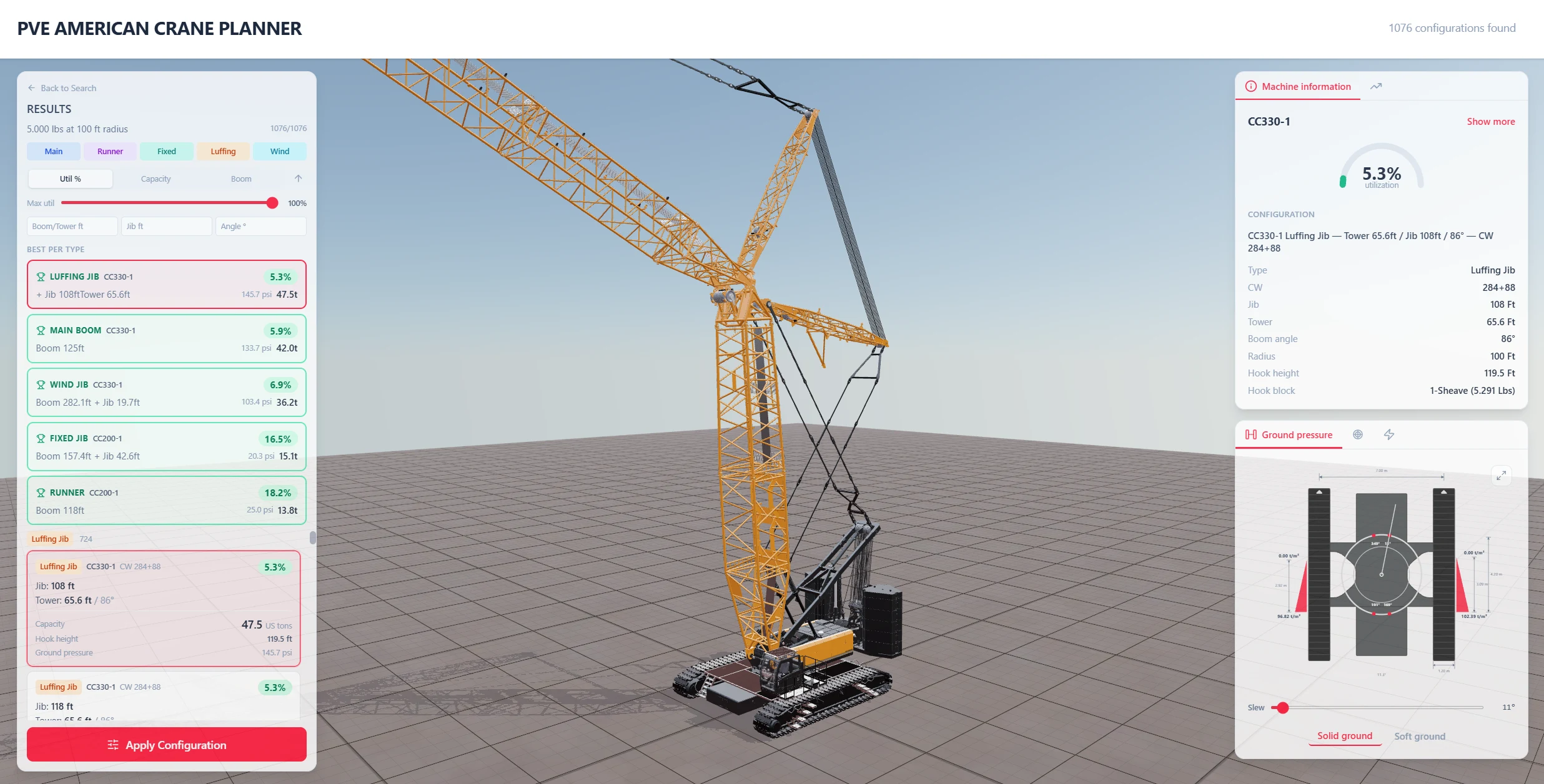
Pick the configuration
Choose from the matching configurations, or filter straight down to the exact crane, boom system and counterweight you need.
03
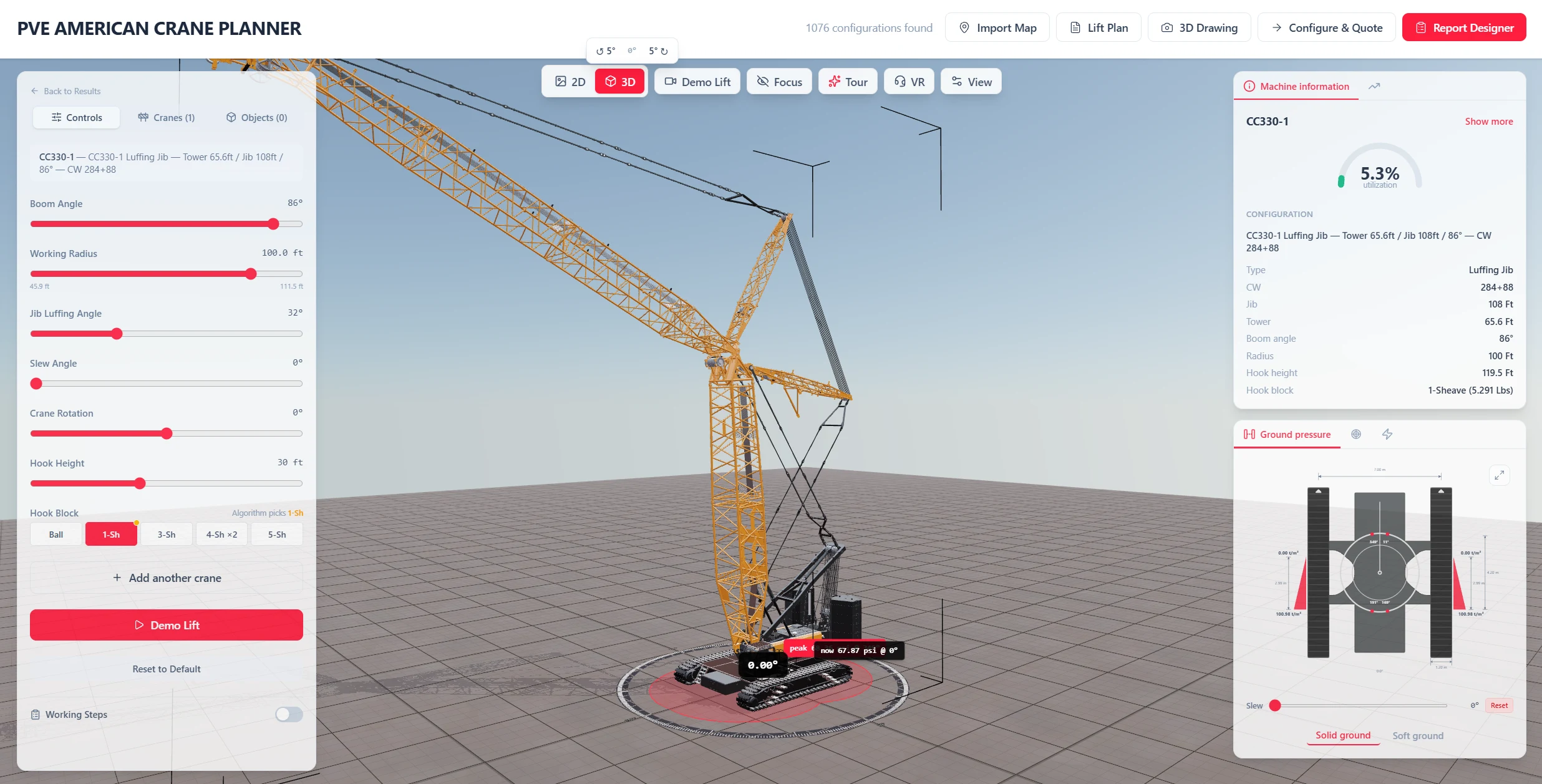
Work in the planner
Control the crane live: boom, slew, hook and travel. Build working steps and play the lift back, with multiple cranes in one scene, ground pressure and every planner feature at hand.
For dealers
Done configuring the exact crane configuration for the job? Use the Configure & Quote button to load it straight into the Quote Configurator.
The toolset.

Load chart search
Search every official load chart by load, radius and height, and filter down to the exact crane, boom system and counterweight.
Live crane control
Drive the crane in real time: boom, slew, hoist and travel, with the capacity checked against the chart as it moves.
Working steps
Record the lift as a sequence of steps and play it back in 3D, from pick to set-down.
Drone fly-by
Watch the playback through a drone fly-by camera that circles the lift, made for presentations and toolbox talks.
Multiple cranes
Plan with several cranes in one scene. Each crane keeps its own configuration, hook and position.
Map import
Import the job site straight from Google Maps and plan on the real satellite image.
3D / CAD import
Import your own 3D and CAD objects through the User Library and place them in the scene.
Ground pressure
See the ground bearing pressure under the tracks for the configured crane, counterweight and load.
Capacity curve
The live capacity curve and utilization gauge show exactly how much chart is left at every radius.
2D side view
A dimensioned side view of the full configuration, ready to drop straight into the lift plan.
Hook selection
Select the right hook block per crane and see it in the scene and in the drawings.
Bring the site in
Your job site, in the planner.
Import the real site straight from Google Maps and plan on the actual satellite image. Add your own 3D objects through the User Library: buildings, obstacles and loads, so the plan shows the lift exactly where it happens.
Replay your lift after adding working steps, or press Demo Lift.
Shown here: the PVE AMERICAN office in The Netherlands, inside the Web App.
Getting started
Nothing to install.
Browser based
The planner runs entirely in your browser. No downloads, no licenses to manage, no updates to install.
Accept the invite and go
Onboarding is one step: accept your invite to the PVE AMERICAN Web App and sign in with your Microsoft account. That is all.
Laptop and desktop
Built for serious planning work on laptop and desktop, in the office or in the site cabin.
Ready to use it?
Log in with your account, or tell us who you are and we will set you up with the right tools.